Medi8 JobFlow
One workspace for a uniform and branding workshop — every enquiry, quote, stitching run, print job, delivery and invoice tracked on a single thread instead of across WhatsApp, notebooks and memory.
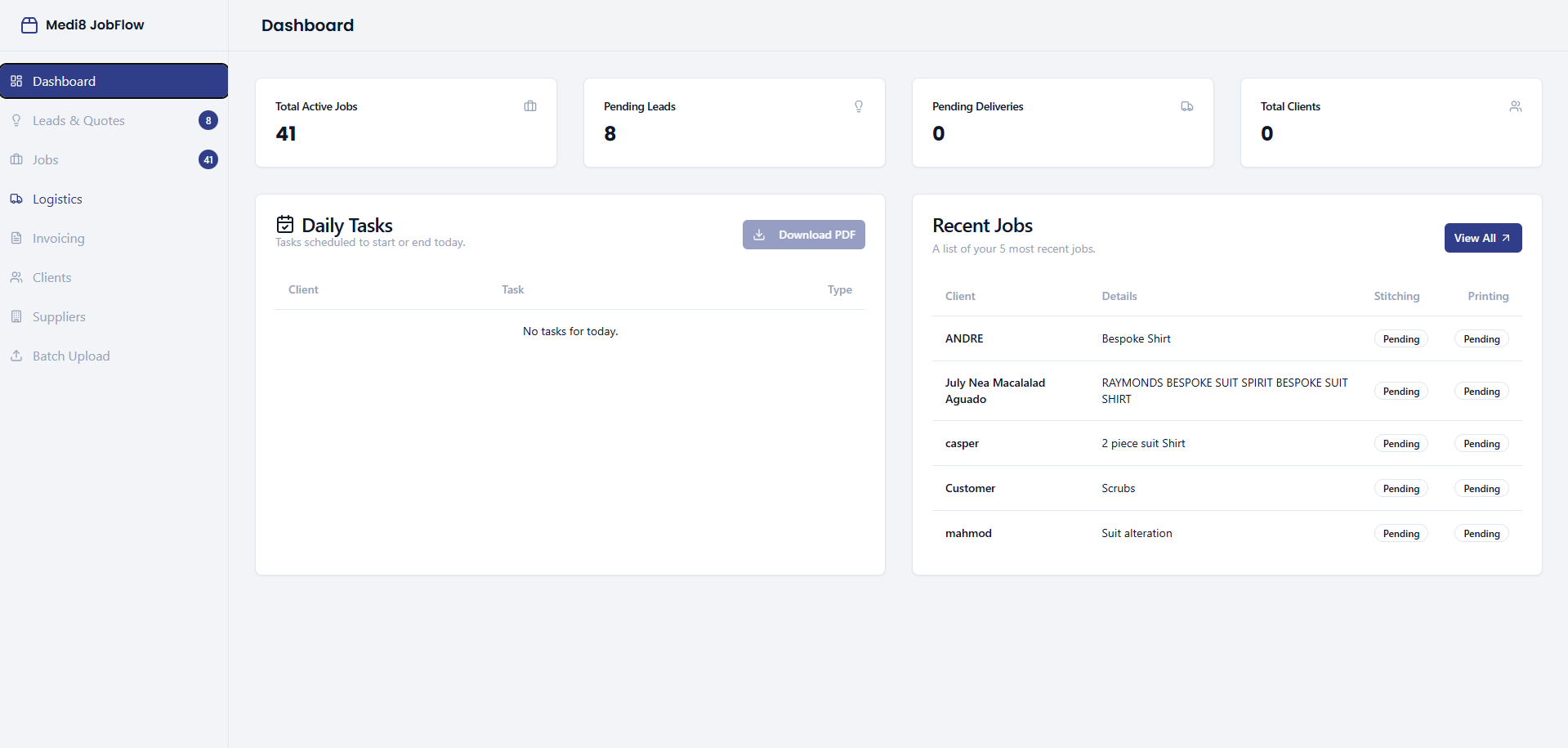
The dashboard — live job load, today's tasks and the five most recent jobs
A job could be anywhere, and only one person knew where.
A uniform and branding workshop takes an enquiry on WhatsApp, quotes it by message, sends the garment out for stitching, brings it back for printing or embroidery, packs it, delivers it, then chases the invoice. Dozens of those run at once, each at a different point.
There was no record of which stage a job sat in. Status lived in chat scrollback and in the head of whoever took the order — so "where is the United Manpower order?" meant phoning a supplier to find out.
The fix wasn't a bigger spreadsheet. It was giving every job one identity that carries from first enquiry to paid invoice, with stitching and printing tracked as separate parallel stages — because in this trade they genuinely are.
Five stages, and one job ID that survives all of them.
A lead becomes a job, a job splits into stitching and printing, and both must land before it can ship.
Lead
Enquiry captured with contact, detail and a follow-up date.
Quote
Priced and sent; status moves quoted → invoiced or expired.
Production
Stitching and printing tracked as parallel tracks, each with its own supplier and dates.
Logistics
Finished work queues for packing and delivery to the client.
Invoice
Delivered jobs become pending invoices, then a paid record.
A few screens, and why they matter.
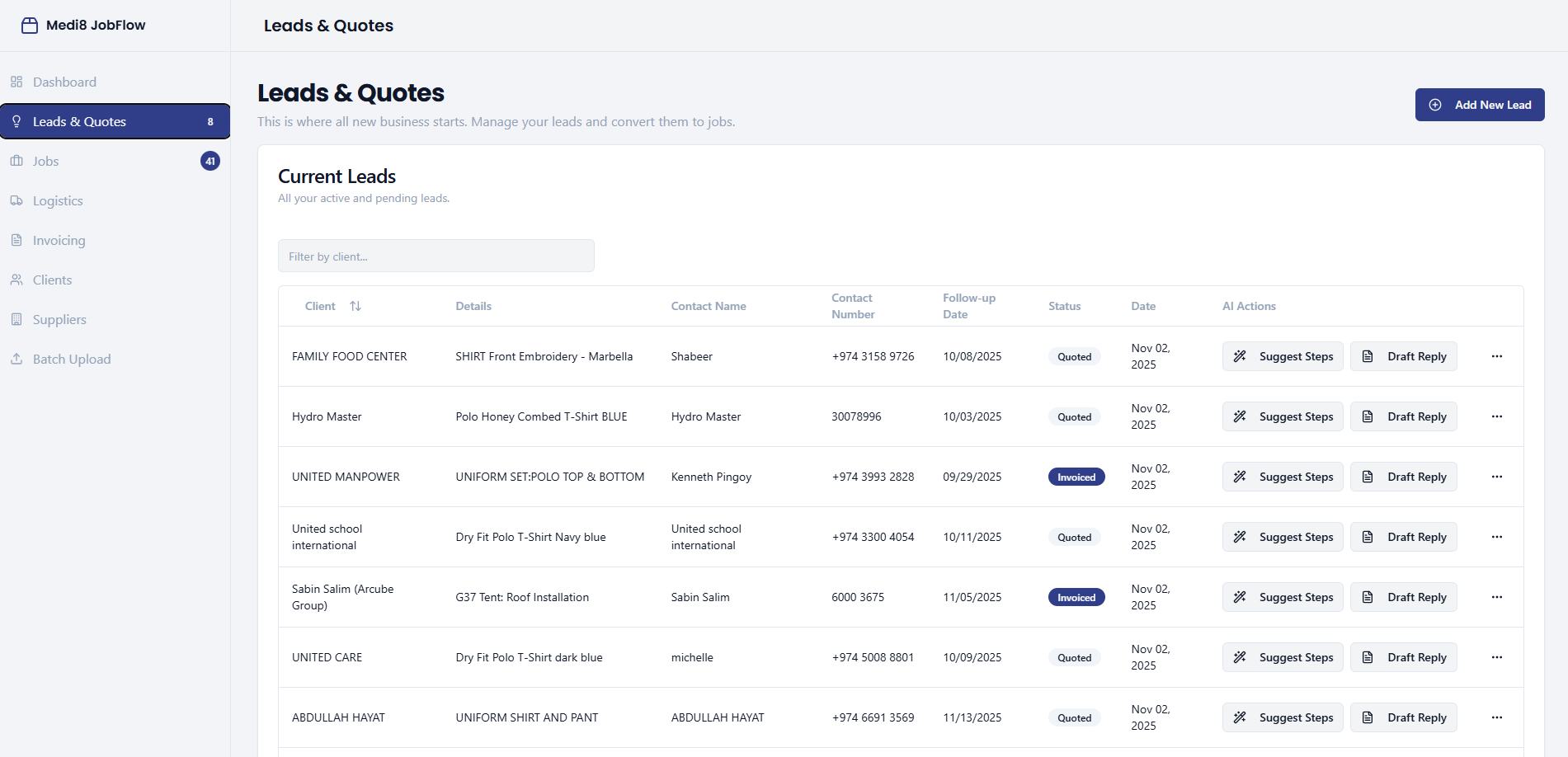
Where all new business starts.
Every enquiry sits in one filterable table with contact, requirement, follow-up date and quote status — so chasing is a decision, not an archaeology exercise. Converted leads carry straight through to a job.
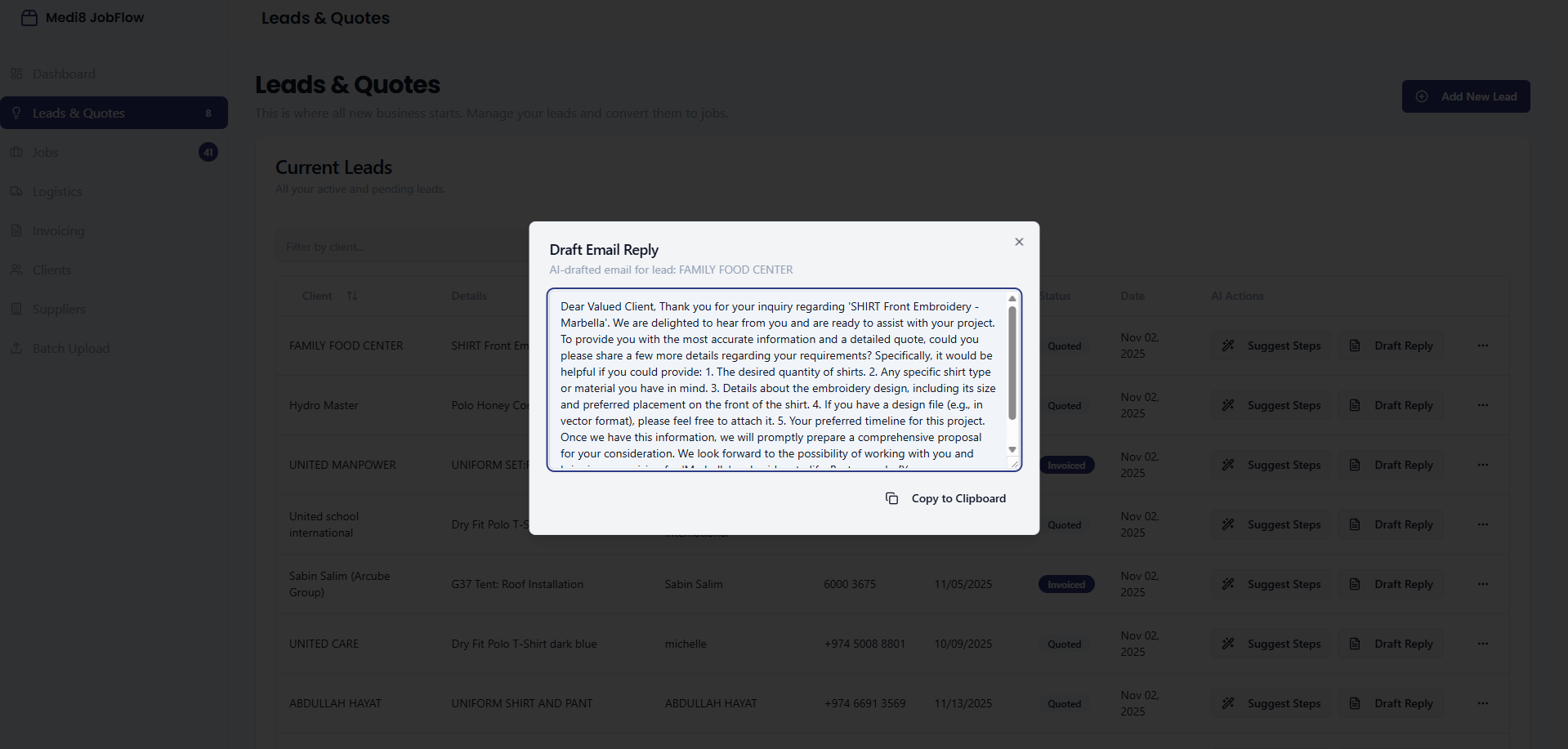
The reply is already written.
Two actions sit on every lead: Suggest Steps and Draft Reply. The draft reads the lead's own requirement and returns a specific, sendable email asking for the exact details a quote needs — quantities, garment type, artwork, timeline.
Copy, paste, send. It turns the slowest part of the day — writing careful English to a client — into a few seconds.
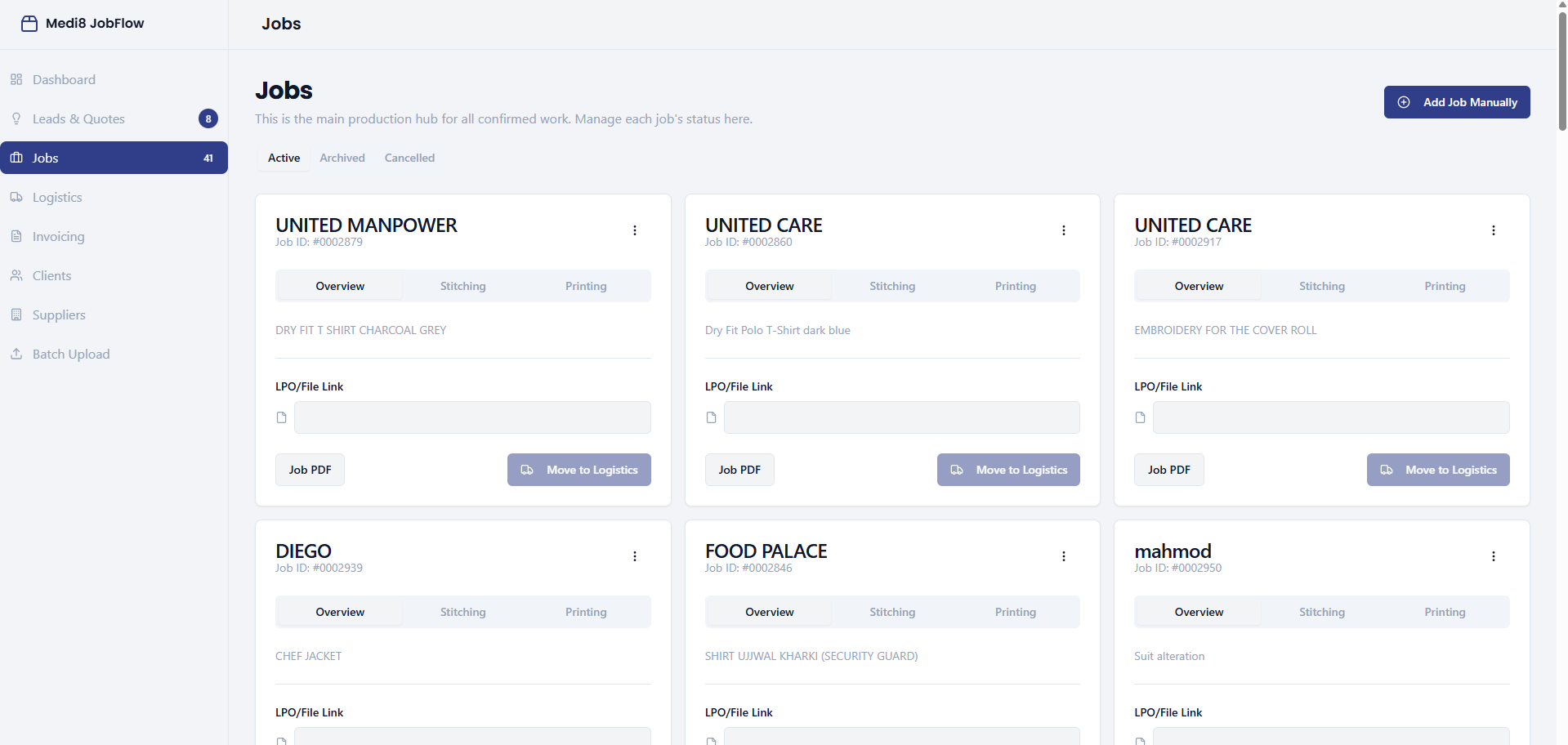
The production hub for confirmed work.
One card per job, each with its own ID, the item being made, an LPO or artwork link, and a printable job sheet for the floor. Active, archived and cancelled are separate tabs, so the board only ever shows work that's live.
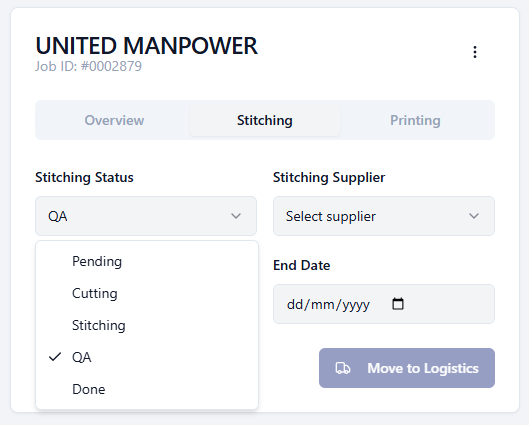
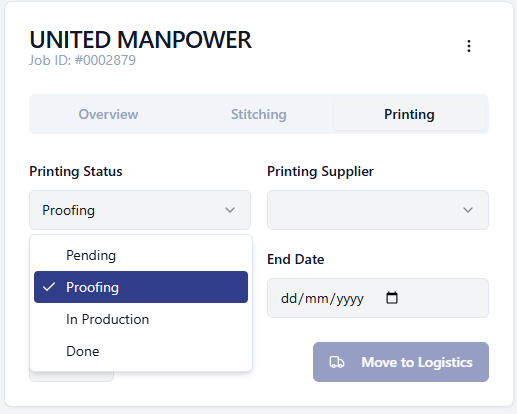
Stitching and printing move on their own clocks.
Each track has its own status ladder — pending, cutting, stitching, QA, done for garments; pending, proofing, in production, done for print — plus its own supplier and start/end dates. Only when both read done does Move to Logistics make sense.
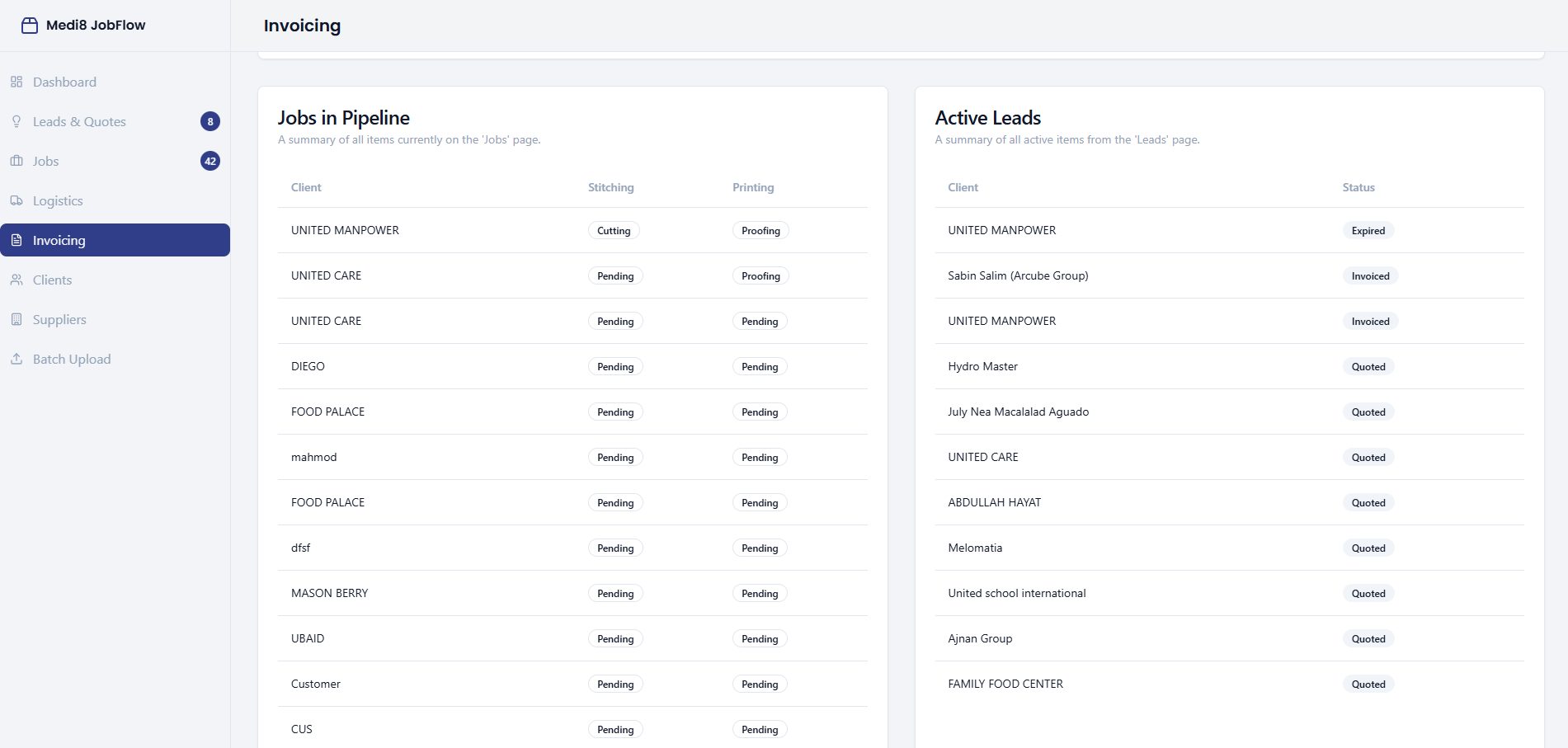
The whole pipeline on one page.
Pending and paid invoices sit above a live read of everything upstream — every job with its stitching and printing state, every active lead with its quote status. It's the page you open to answer "what's owed, and what's coming".
The quiet pages that keep it honest.
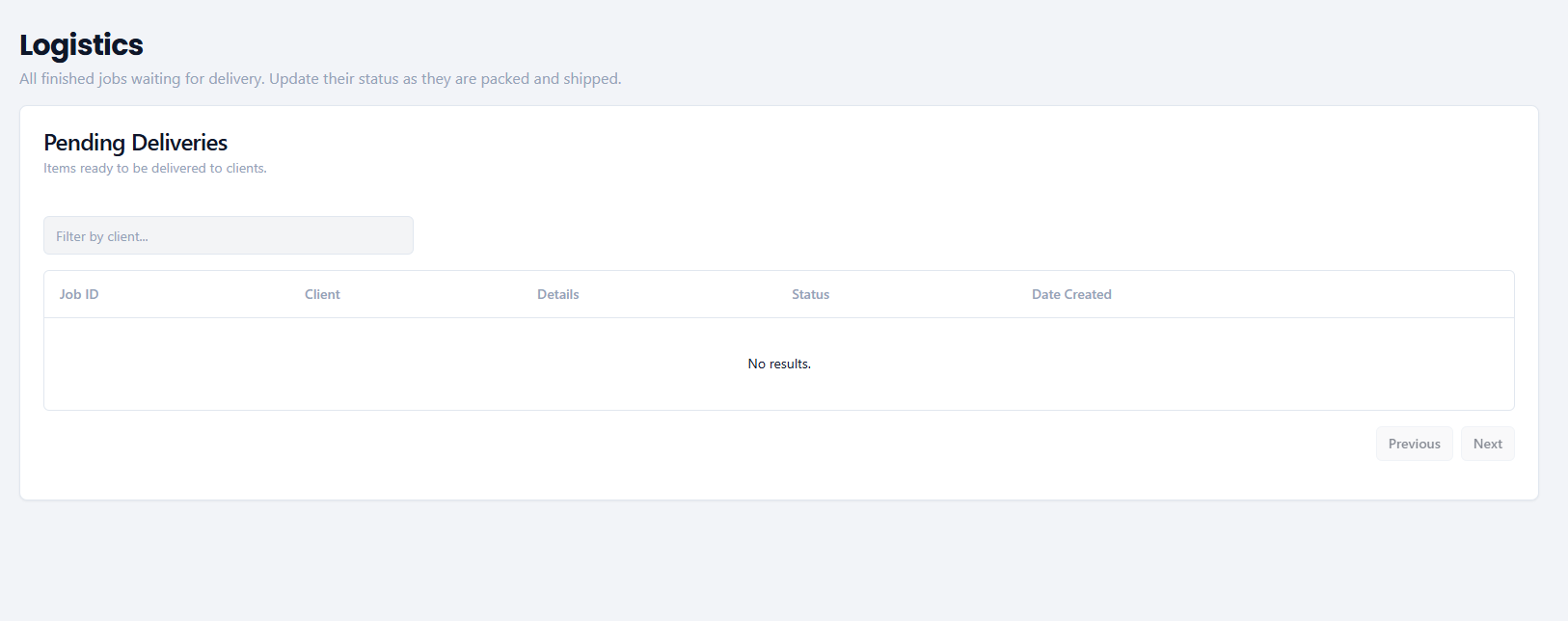
Logistics
Finished jobs waiting to be packed and delivered, updated as they go out.
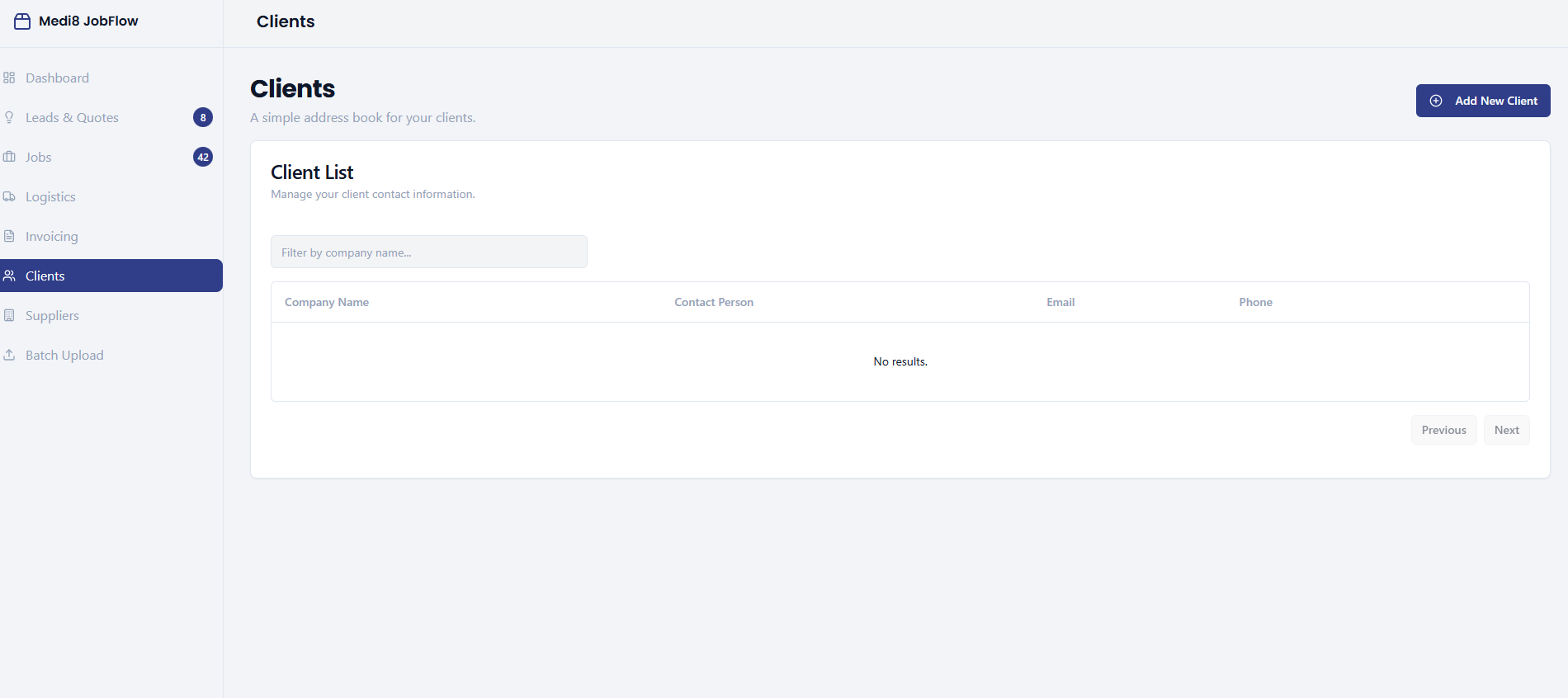
Clients & Suppliers
A shared address book, so a contact number never lives only in one phone.
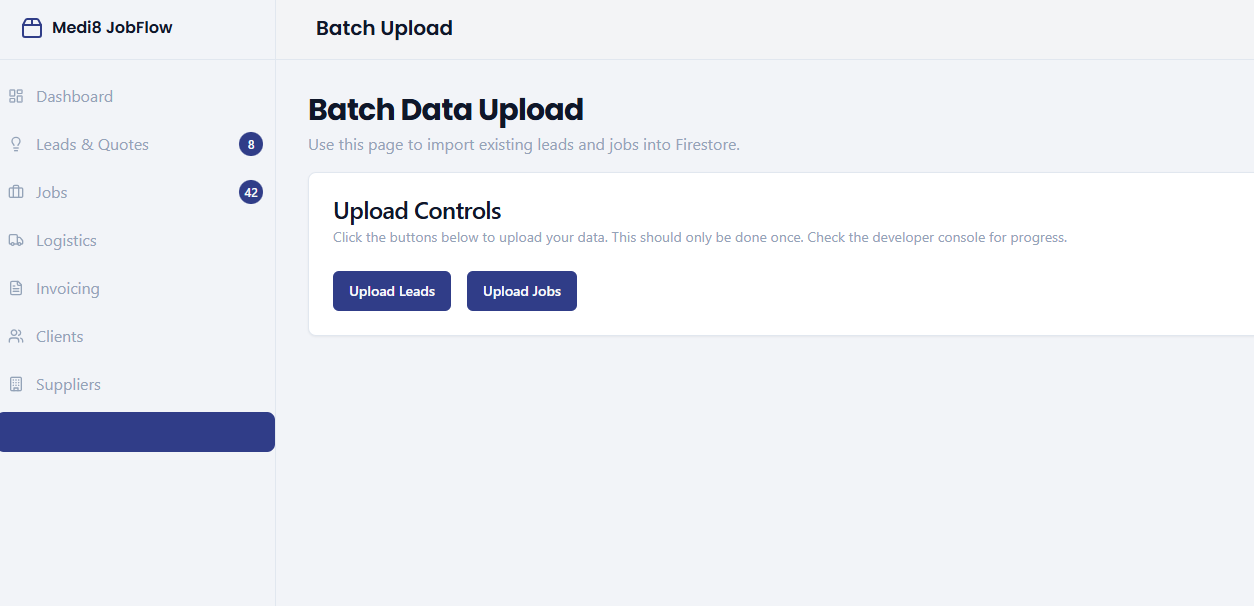
Batch Upload
A one-time import that moved years of existing leads and jobs in on day one.
From floor interviews to a product in use.
What actually changed on the floor.
Status without a phone call
Any job's stage, supplier and dates are on screen, so nobody rings a workshop to find out.
Nothing stalls silently
Follow-up dates and stage counters surface the jobs and quotes that have gone quiet.
Faster, better replies
AI drafting turns a careful client email from a twenty-minute task into a copy-paste.
Knowledge out of one head
The business keeps its own record, so the operation survives a staff change or a day off.
JobFlow taught me that software for a workshop lives or dies on whether it matches the way work physically moves — not the way a database would prefer it to.
The moment the design clicked was accepting that stitching and printing are two independent tracks on one job. Every earlier attempt at a single linear status collapsed the second a garment came back from the tailor but hadn't been printed. Modelling reality instead of tidiness made the whole board legible.
Next: supplier-side status updates, delivery notes and invoices generated from the job record, and a WhatsApp bridge so the channel clients already use feeds the system instead of bypassing it.